
EVIDENCE YOUR PROFESSIONAL DEVELOPMENT
CERTIFICATES
Following completion of a Dedici workshop, participants receive a personalised CPD
certificate recognising their attendance and professional development.
Each certificate includes:
Certificates provide a formal record of your learning and can be used as evidence of
Continuing Professional Development (CPD) for professional portfolios, appraisal
discussions, and personal development records.
WHEN WILL I RECEIVE MY CERTIFICATE?
Participants should allow up to two weeks following completion of a workshop to
receive their certificate, however they are generally issued much sooner.
A PDF copy will be sent directly to your registered email address.
If you have not received your certificate after two weeks, please contact the
Dedici team and we will be happy to assist.
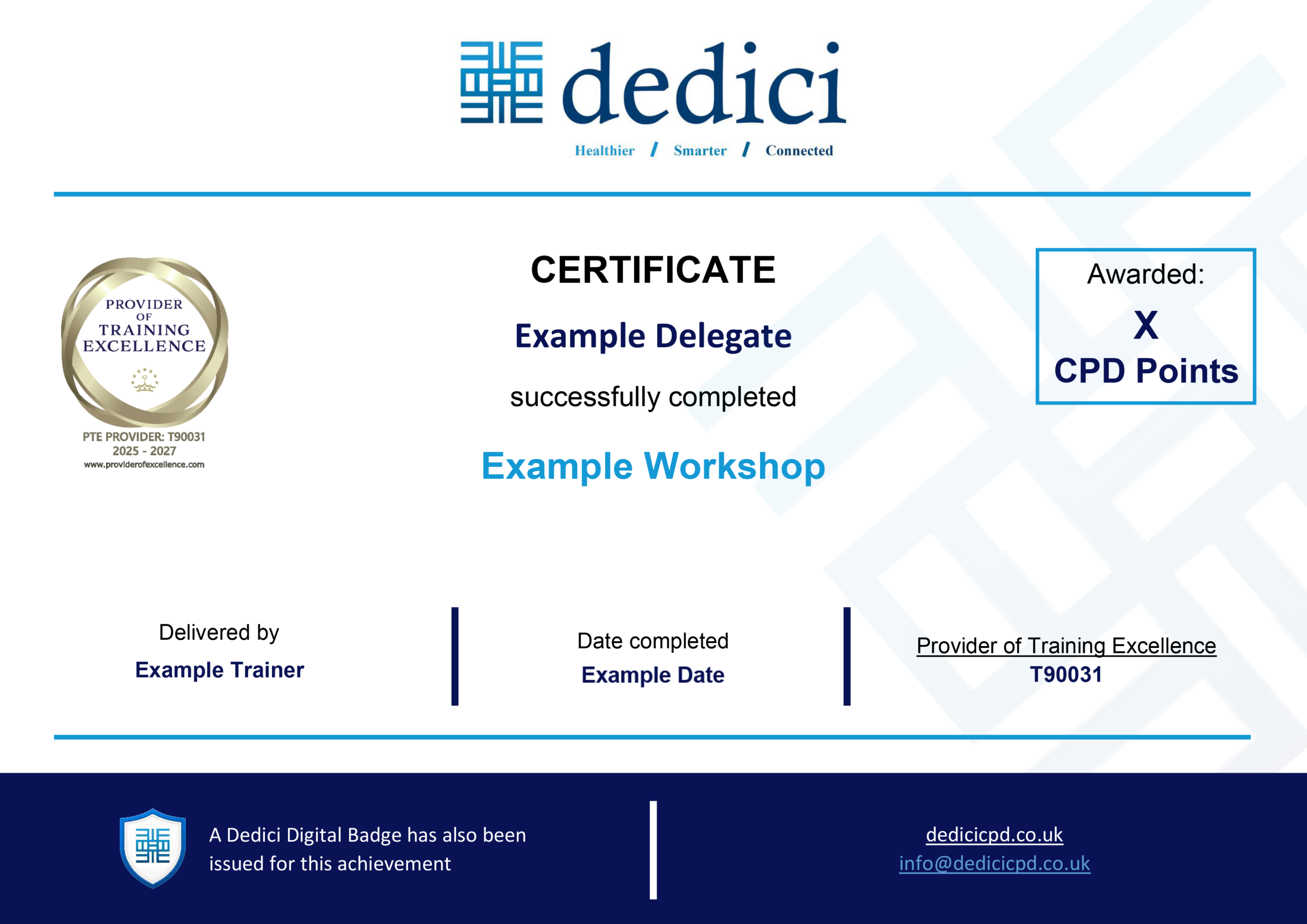
WHAT DOES A DEDICI CERTIFICATE LOOK LIKE?
Dedici certificates are professionally designed and personalised for each participant.
They include details of the workshop completed, CPD points awarded, and other
relevant information relating to your learning achievement.
KEEPING YOUR CERTIFICATE SAFE
We recommend saving your certificate PDF to a secure location as soon as you
receive it. Many participants choose to:
• Keep a copy in their CPD portfolio
• Store a copy in a professional development folder
• Upload a copy to their appraisal documentation
• Retain it as evidence of training and development activities
SHOWCASE YOUR PROFESSIONAL DEVELOPMENT
DIGITAL BADGES
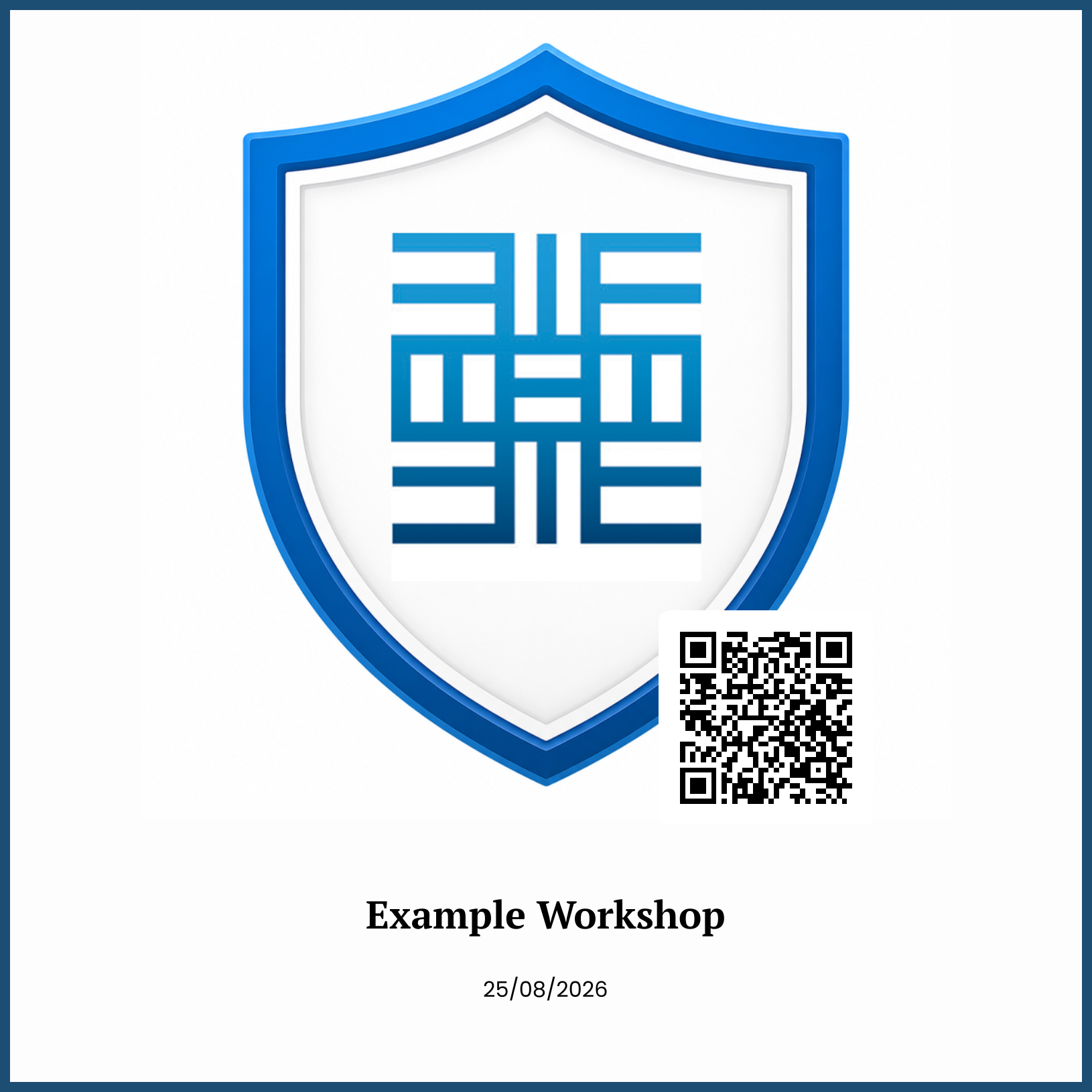
Digital badges provide a modern, verifiable way to recognise and showcase
your learning achievements.
Following completion of a Dedici workshop, you may also receive a
Dedici Digital Badge alongside your CPD certificate.
A digital badge can be:
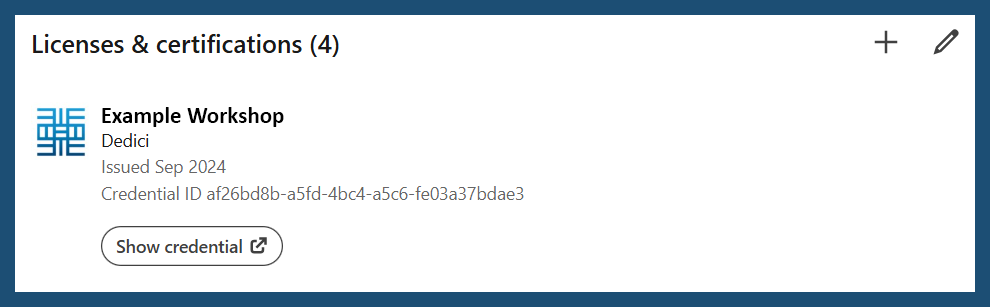
• Shared professionally online
• Added directly to your LinkedIn profile
• Verified by employers and colleagues
• Used as evidence of learning and development
• Retained as a permanent record of achievement
A digital badge complements your CPD certificate and helps ensure your
professional development is visible to others.
WHY SHOULD I CLAIM MY BADGE?
By adding your badge to your LinkedIn profile, you can:
STEP ONE
HOW TO CLAIM YOUR DIGITAL BADGE
After completing your workshop, you will receive your Dedici certificate via email.
At the same time you will receive a separate email from:
POK (Proof of Knowledge)
our digital credentials provider.
STEP TWO
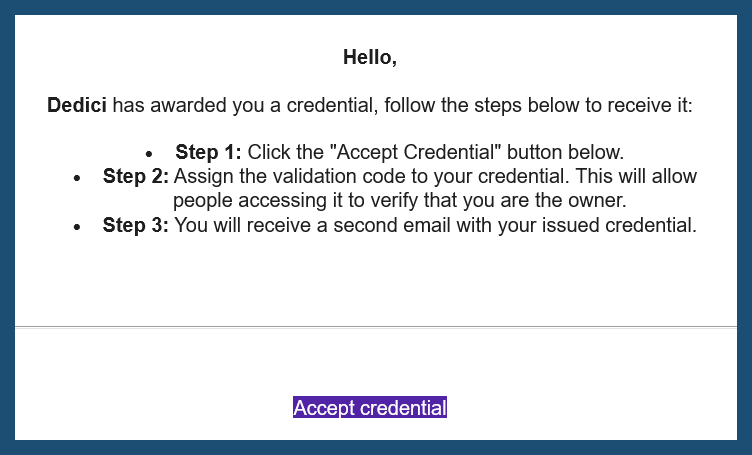
Open the POK email.
Click:
Accept Credential
STEP THREE
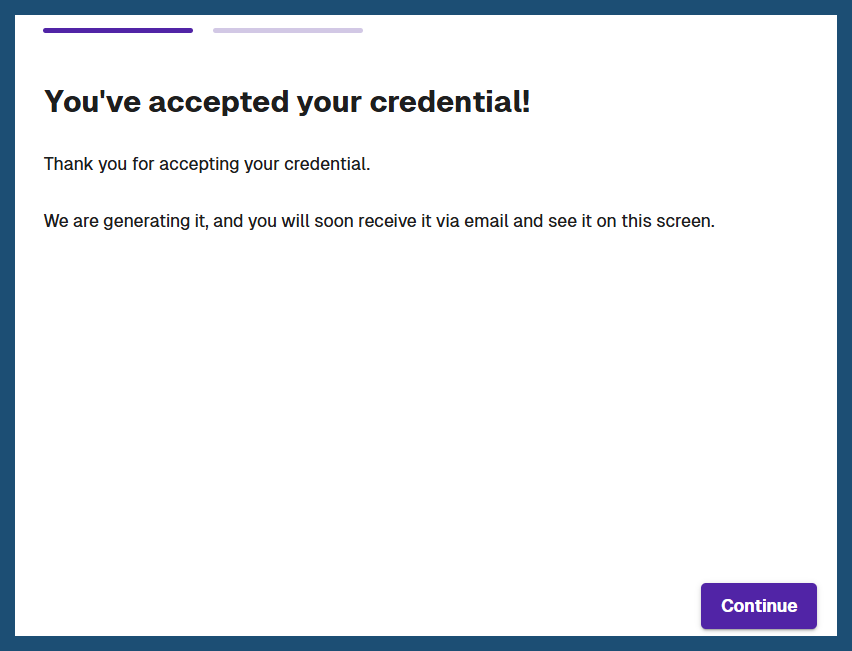
You should be redirected to a “You’ve accepted your credential!” page.
Once there, click:
Continue
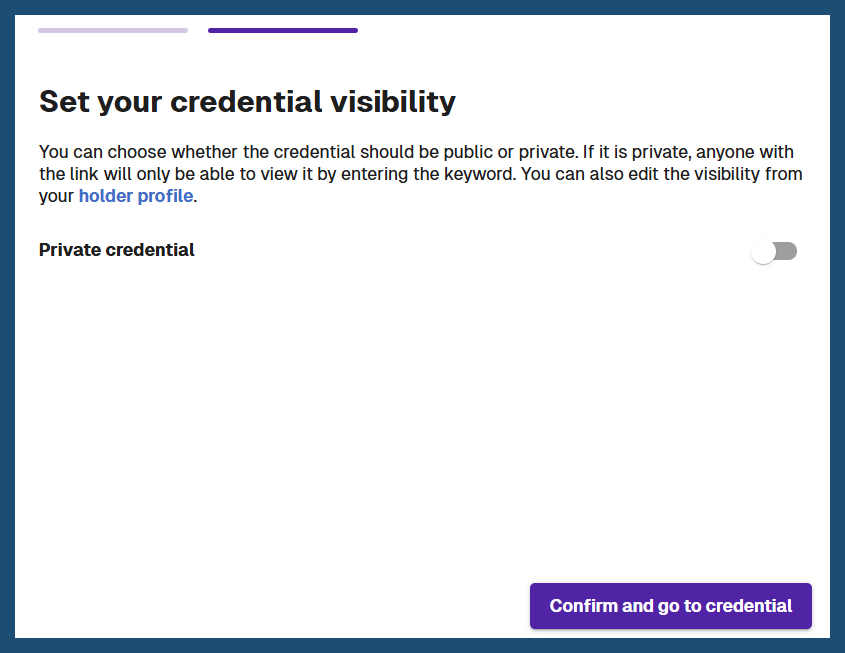
You will then be moved onto the “Set your credential visibility” section.
Decide whether you would like your credential to be private or public
(we recommend public), then click:
Confirm and go to credential.
This will take you to your confirmed official Dedici Digital Badge! You will
also be sent another email with confirmation of your digital badge in
case you lose the webpage.
STEP FOUR
HOW TO ADD YOUR DIGITAL BADGE TO LINKEDIN
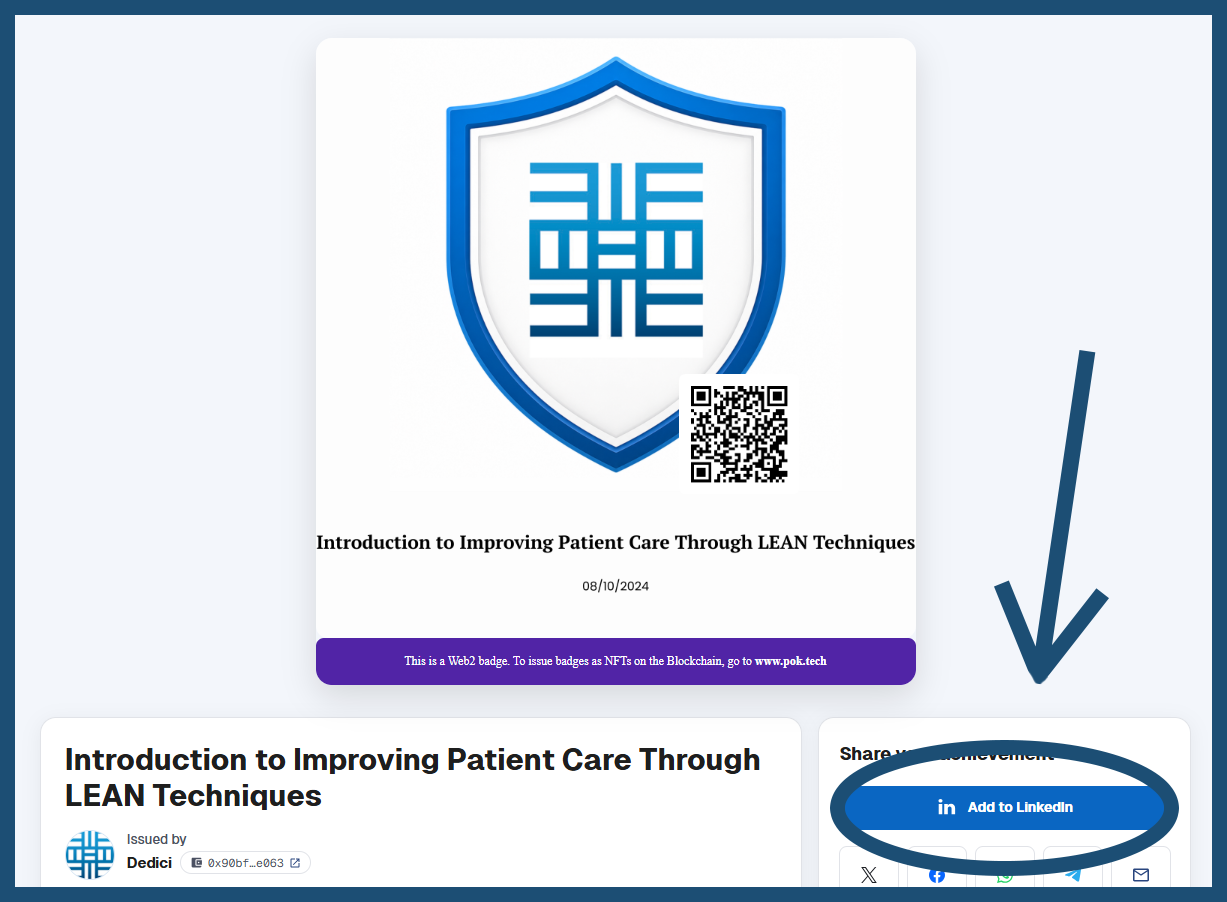
While being on the automatically opened page with your digital badge
(or opening the link on the email confirmation from POK), click:
Add to LinkedIn
It will ask you to sign into your LinkedIn account.
STEP FIVE
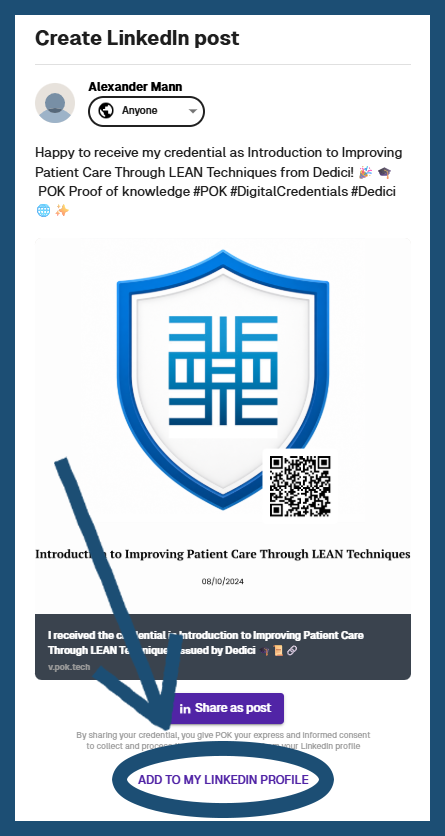
Once signed in, it will take you to a “Create LinkedIn Post” page. Many
participants share their badge as a LinkedIn post, however, whilst this
is great, a post is temporary. Adding the badge to your LinkedIn profile is
much more visible and easier to find, we at Dedici recommend
this, however, you can always do both!
Look all the way down at the bottom of the page and click:
ADD TO MY LINKEDIN PROFILE
STEP SIX
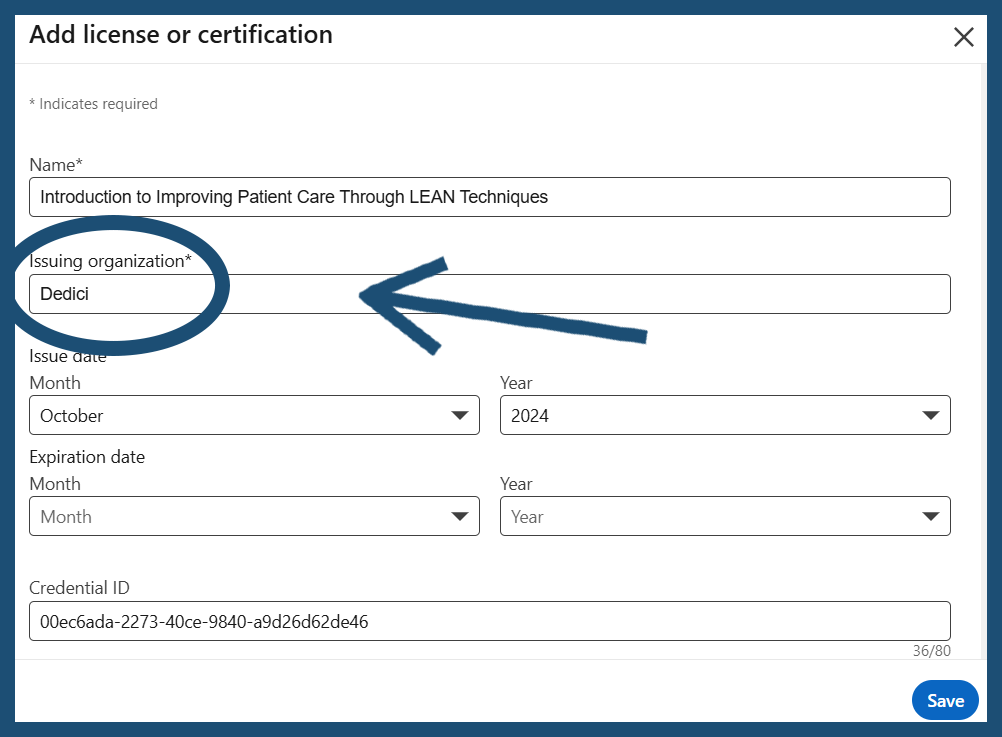
This will take you to LinkedIn’s “Add license or certification” page.
We need to focus on the “Issuing organization” field. This should be
automatically filled with “Dedici“, however it is not linked to Dedici’s LinkedIn
account, meaning your badge will not have a Dedici logo and
will not be connected to us.
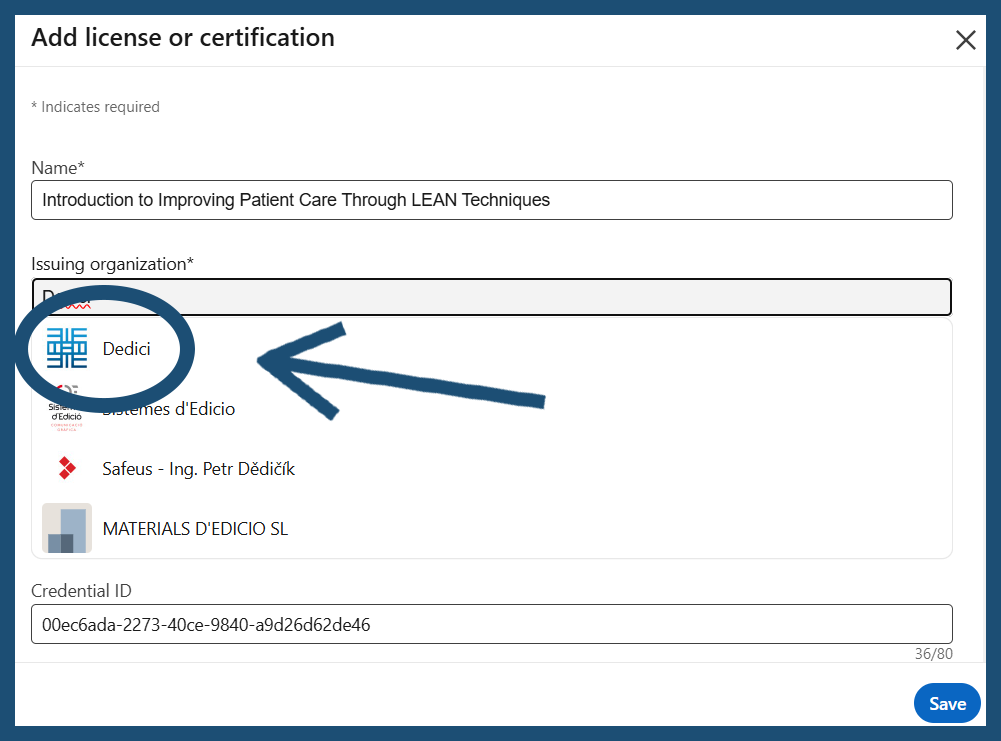
To fix this, click the prefilled “Dedici” and a drop-down box should
automatically pop up and show Dedici and it’s logo. Click it.
STEP SEVEN
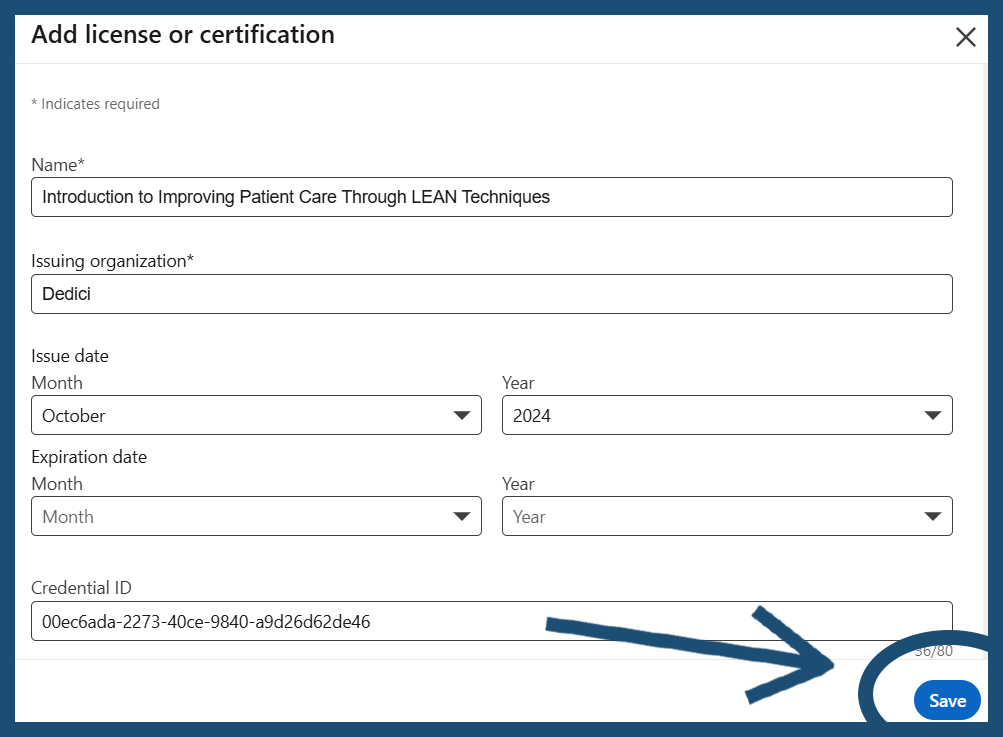
Next, simply click:
Save
And your new Dedici Digital Badge will be added to your profle!
If you followed along with this tutorial, congratulations on officially
adding your Digital Badge to your Linkedin Profile! If you need help, or
have any further questions, please email us at info@dedicicpd.co.uk.